250x250
Notice
Recent Posts
Recent Comments
Link
| 일 | 월 | 화 | 수 | 목 | 금 | 토 |
|---|---|---|---|---|---|---|
| 1 | ||||||
| 2 | 3 | 4 | 5 | 6 | 7 | 8 |
| 9 | 10 | 11 | 12 | 13 | 14 | 15 |
| 16 | 17 | 18 | 19 | 20 | 21 | 22 |
| 23 | 24 | 25 | 26 | 27 | 28 | 29 |
| 30 | 31 |
Tags
- 객체지향프로그래밍
- FreeBSD
- K&R
- 오토바이
- 개발기
- C언어
- Linux
- 일상
- 인프라
- Flutter
- Bloc
- virtualmachine
- 가상머신
- DART
- 연습문제
- podman
- 오블완
- VM
- 주유소
- 티스토리챌린지
- ubuntu
- node.js
- 리눅스
- 에러
- 휘발류
- VMware
- 개발
- 잡담
- 템플릿
- 퇴근길
Archives
- Today
- Total
그냥저냥
Dart/Flutter | Could not register as server for FlutterDartVMServicePublisher, permission denied. Check your 'Local Network' permissions for this app in the Privacy section of the system Settings. 에러 해결하기 본문
개발기/트러블슈팅
Dart/Flutter | Could not register as server for FlutterDartVMServicePublisher, permission denied. Check your 'Local Network' permissions for this app in the Privacy section of the system Settings. 에러 해결하기
sync86 2025. 5. 21. 22:12728x90
반응형
Flutter 디버깅 모드로 실행하니, 아래의 에러 메시지를 보게 되었다. iOS 설정에서 "Local Network" 퍼미션을 추가한 후 발생한 에러로 보여진다.
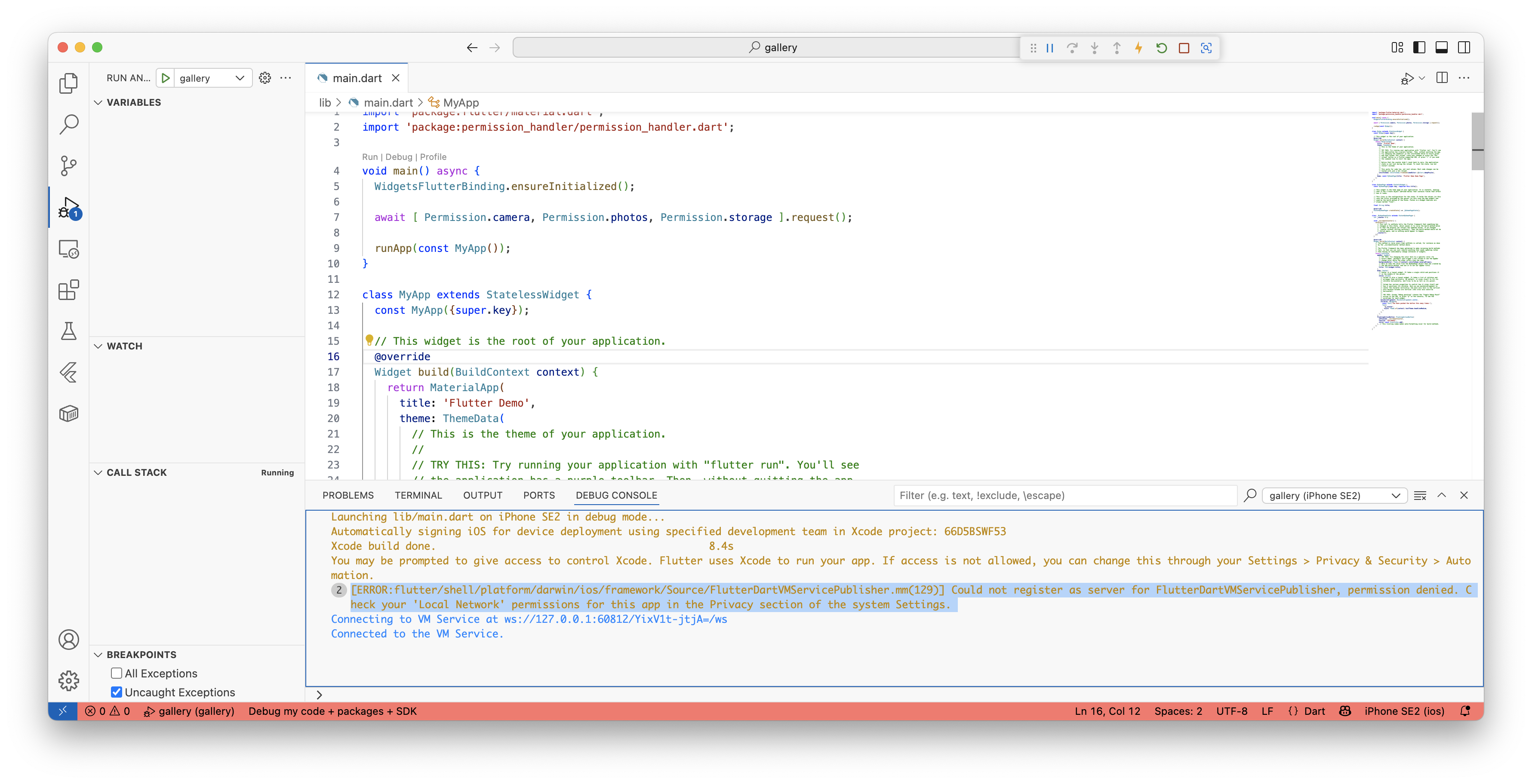
에러 메시지를 상세히 보면 아래와 같다.
| [ERROR:flutter/shell/platform/darwin/ios/framework/Source/FlutterDartVMServicePublisher.mm(129)] Could not register as server for FlutterDartVMServicePublisher, permission denied. Check your 'Local Network' permissions for this app in the Privacy section of the system Settings. |
Flutter는 디버그 모드로 실행된 앱에 접속하여 디버깅을 할 수 있다. 이 모드로 실행되어야 브레이크 포인트나 각종 변수의 값을 확인할 수 있다는 이야기다.
에러 내용 중 힌트가 있어 찾아보았다. iOS에서 아래의 순서대로 터치하여 들어갔다. 이후 앱의 권한을 허용하였다. 참고로 여기서 사용한 앱 이름은 "Gallery" 이다.
설정 - 개인정보 보호 및 보안 - 로컬 네트워크 - [Gallery] 허용
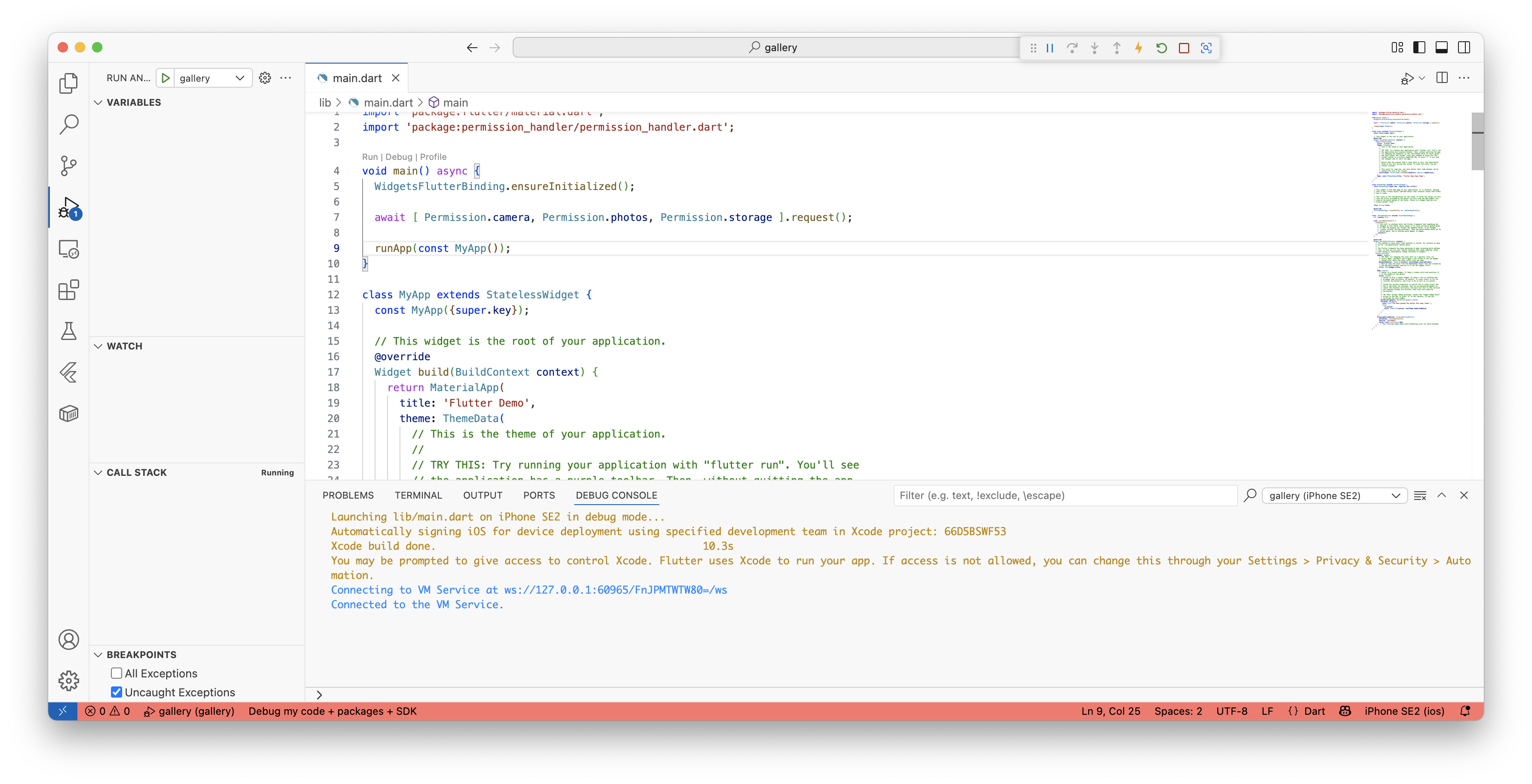
권한 허용이후 다시 디버그 모드로 실행했고, 위의 에러 메시지는 사라졌다.
728x90
반응형
'개발기 > 트러블슈팅' 카테고리의 다른 글
'개발기/트러블슈팅' Related Articles
more
